 matija.eu
What if a page looked different in every browser?
By Matija Munjaković ·
Toggle browsers. Drag the dividers to compare, or use the arrow keys.
Select a browser to see its screenshot.
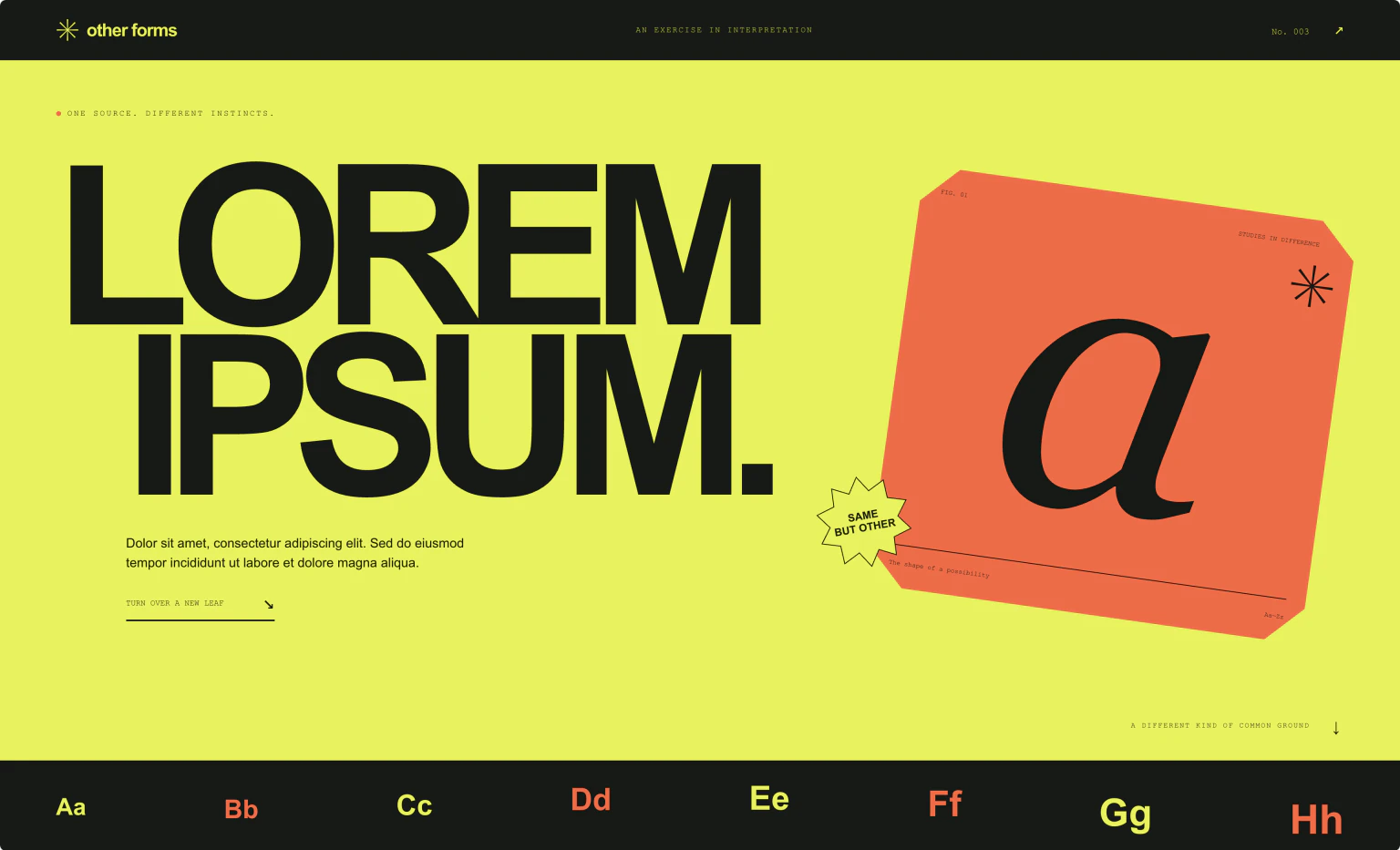
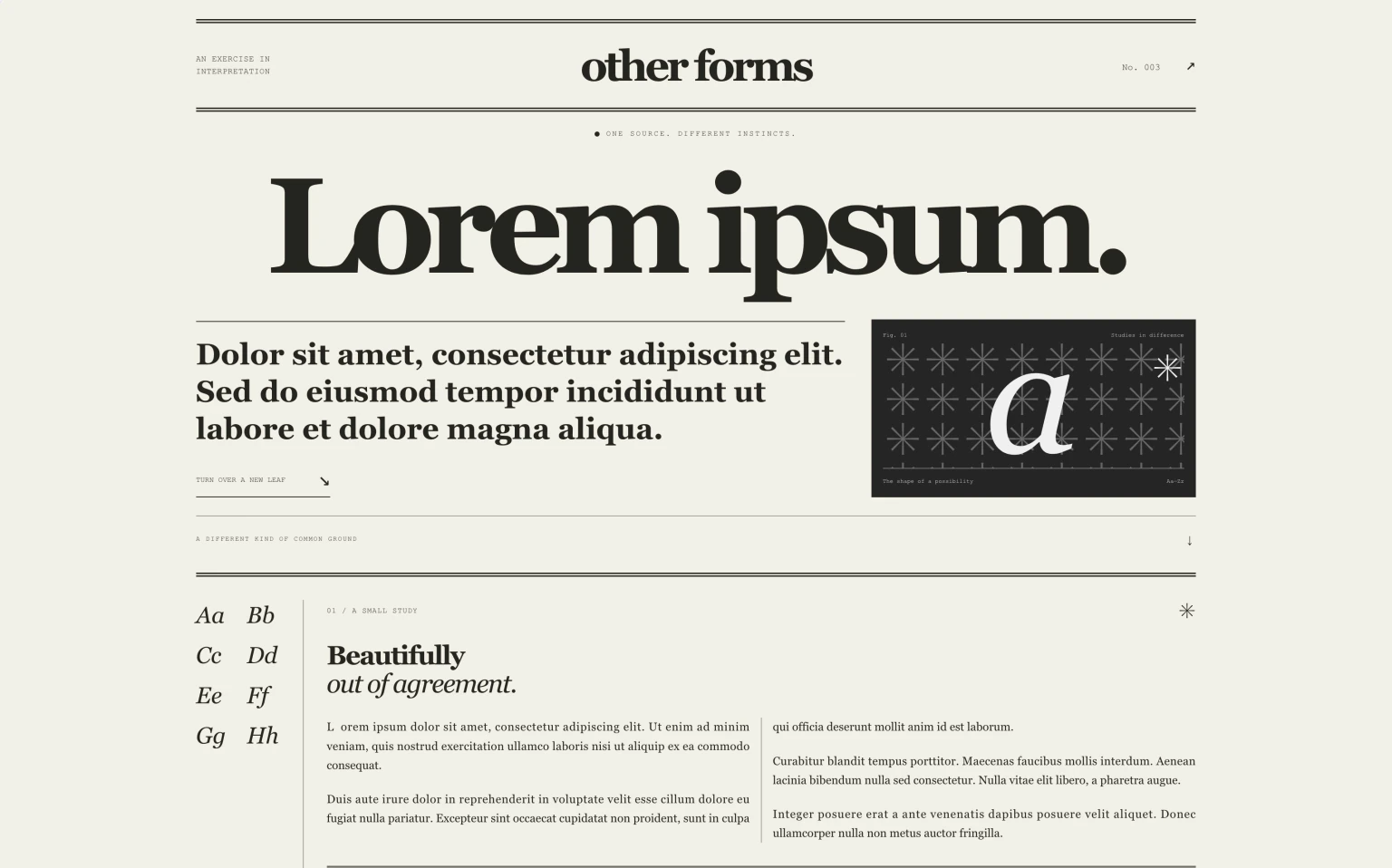
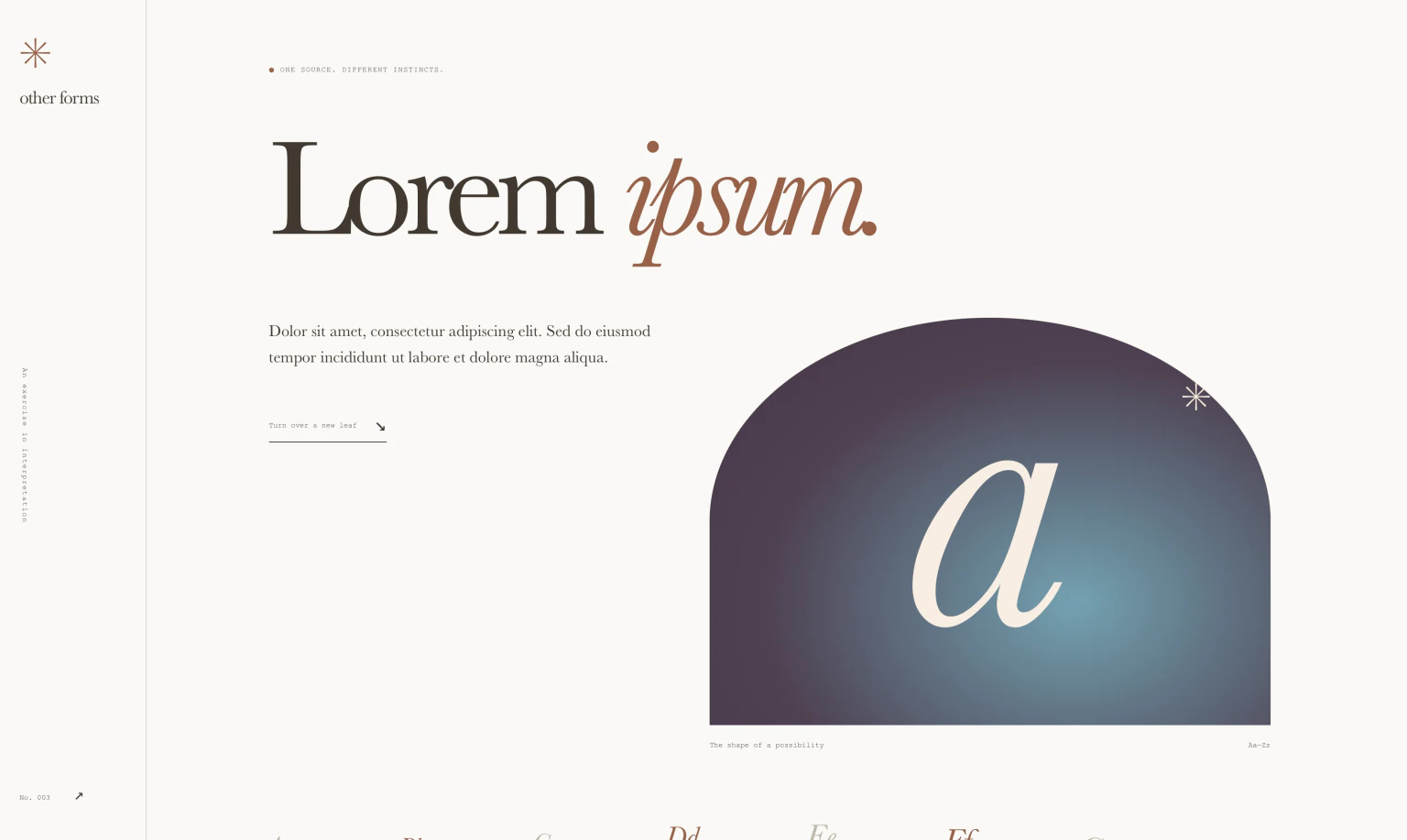
You usually write CSS to make a page look the same everywhere.
This experiment uses one HTML document and the same stylesheets in Chrome, Firefox, and Safari.
The large layout differences are intentional. Individual CSS features change the details.
Toggle the screenshots above to compare them, or open the experiment in different browsers.
Shapes and images
corner-shape— corner shapes. Chrome139+ Firefox× Safari×border-shape— custom border shapes. Chrome147+ Firefox× Safari×shape()— shapes with lines and curves. Chrome135+ Firefox148+ Safari18.4+-moz-element()— HTML elements as CSS images. Chrome× Firefox57+ Safari×- Image
filter()— image filters. Chrome× Firefox× Safari9.1+ background-clip: border-area— backgrounds clipped to borders. Chrome150+ Firefox× Safari18.2+-webkit-box-reflect— element reflections. Chrome4+ Firefox× Safari4+
Typography
initial-letter— drop-cap sizing and alignment. Chrome110+ Firefox× Safari9+hanging-punctuation— punctuation outside text edges. Chrome× Firefox× Safari26.5+text-wrap: pretty— improved line breaks. Chrome130+ Firefox× Safari26+text-box-trim— trims space above and below text. Chrome133+ Firefox154+ Safari18.2+text-justify— justified text spacing. Chrome145+ Firefox55+ Safari×margin-trim: inline— trims outer inline margins. Chrome× Firefox× Safari16.4+
Layout
grid-lanes— masonry layout. Chrome× Firefox× Safari26.4+column-wrap— multiple rows of columns. Chrome145+ Firefox× Safari×calc-size()— calculations with intrinsic sizes. Chrome129+ Firefox× Safari×
Scrolling
::scroll-marker— scroll navigation markers. Chrome135+ Firefox× Safari×::scroll-button()— native scroll buttons. Chrome135+ Firefox× Safari×- Scroll-state container queries — styles based on scroll state. Chrome133+ Firefox× Safari×
animation-timeline— animation timelines, including scroll and view progress. Chrome115+ Firefox159+ Safari26+
Controls
appearance: base-select— customizable native selects. Chrome135+ Firefox× Safari27+field-sizing— content-sized form controls. Chrome123+ Firefox152+ Safari26.2+::details-content— details content, excluding the summary. Chrome131+ Firefox143+ Safari18.4+interpolate-size— animations to and from intrinsic sizes. Chrome129+ Firefox× Safari×
Values
- Typed
attr()— typed values from HTML attributes. Chrome133+ Firefox155+ Safari× sibling-index()— an element’s position among siblings. Chrome138+ Firefox154+ Safari26.2+random()— random values within a range. Chrome156+ Firefox× Safari26.2+if()— conditional values. Chrome137+ Firefox× Safari×